
Send policies. Collect acknowledgements. Have the proof.
Policyflow distributes policies to your employees, records who has confirmed which version, and exports the evidence auditors ask for. Built for ISO 27001, SOC 2, NIS2 and GDPR programmes.
- Free for teams up to 15 employees — no card on signup
- Recipients confirm through a personal link, no accounts needed
- Questions? hello@applikeable.com
Primary customer data is hosted in the configured EU database region; processing locations are disclosed in our trust center.
Framework coverage
ISO 27001, SOC 2, NIS2, GDPR and DORA acknowledgement evidence.
Free up to 15 employees
A free evaluation covers the essentials; Core adds workflows, automation, and compliance tools.
Paddle as Merchant of Record
Billing, VAT and invoicing handled by Paddle.
What Policyflow is
The layer between your policies and the people they apply to.
Write or upload, route for approval, distribute by campaign — every step recorded against a named person and a document version.
What an acknowledgement is
A named person confirming they read and understood a specific policy version.
Name, version and timestamp — the evidence auditors match against the document in force at the time.
The policy builder
A policy starts as the clauses it has to answer, not an empty page. Choose the policy type and the standard behind it — Policyflow lays out the clauses that belong in it and keeps count of the ones the document still leaves open.
Information Security Policy
Scope
The clause library sits beside the document
Every clause in the standard is listed next to the draft. Drag one in, or click to insert it where the cursor is.
Coverage is counted while you write
A running count of clauses in place against clauses in scope, and one action that inserts whatever is still outstanding.
Approved wording comes back
Wording you have settled on is saved as approved content and offered first the next time the same clause comes up.
The policies you already have
Most policies are already written, and rewriting them to adopt a tool is a poor trade. Upload the PDF instead: Policyflow reads the document, wraps each passage that carries a requirement as an editable brick, and leaves the rest of the page as it was written.
Your wording is never rewritten
The model chooses passages by position and cannot supply replacement text. Every sentence in the draft is a sentence from your document.
The original stays with it
The uploaded PDF is kept and stays downloadable. Before the draft is saved, the import is checked to reproduce the document exactly.
Requirements become bricks
Obligations, responsibilities and procedures arrive as editable bricks. Headings, definitions and signatures arrive as ordinary text.
The workflow, end to end
Three steps between a blank page and a signed-off, exportable record.
01
Draft and approve
Write in the editor or upload a PDF. Route through reviewers — every sign-off pins to the version it approved.
Information Security Policy
v3.2- ComplianceApproved
- LegalApproved
- CISOAwaiting review
02
Distribute to the right people
Launch a campaign to the groups that need it. Each person gets a personal link by email — no account required.
Q1 policy rollout
142 recipients- Acceptable Use PolicySent
- Remote Work PolicySent
- Data Protection NoticeSent
03
Track progress and export evidence
Follow completion in real time, remind anyone outstanding, and export a certificate or row-level log when you're done.
4 reminders queued · closes 28 Mar
The compliance year
ISO 27001 asks for policies reviewed “at planned intervals”. That is a year-shaped question, and a list of due dates answers it badly. Policyflow draws the whole year as one face — what is scheduled, what is running, and what already happened — so the gaps are visible before an auditor finds them.
2026
36
activities
3 overdue
- Bureau Nordic (surveillance) — Auditor access, 1 Jan - 14 Feb 2026, logged
- Security awareness 2026 — Attestation campaign, 8 Jan - 27 Feb 2026, completed
- ISO 27001 mappings reviewed — Framework sign-off, 22 Jan 2026, logged
- 4 policy versions published — Policy published, 15 Feb 2026, logged
- 6 joiners enrolled — Onboarding wave, 15 Feb 2026, logged
- Information Security Policy review — Policy review, 16 Feb 2026, completed
- Annual risk assessment — Risk assessment, 2 Mar 2026, completed
- Privileged access review — Access review, 31 Mar 2026, completed
- Acceptable Use refresh — Attestation campaign, 6 Apr - 8 May 2026, completed
- 11 joiners enrolled — Onboarding wave, 15 Apr 2026, logged
- Internal ISMS audit — Internal audit, 20 Apr 2026, completed
- Management review meeting — Management review, 12 May 2026, completed
- Incident Response Plan v7 — Policy published, 15 May 2026, logged
- 4 joiners enrolled — Onboarding wave, 15 May 2026, logged
- ISO 27001 package — Evidence package, 28 May 2026, logged
- Certus Assurance (stage 2) — Auditor access, 1 Jun - 15 Jul 2026, logged
- Data retention clause — Content review, 30 Jun 2026, overdue (needs attention)
- Privileged access review — Access review, 30 Jun 2026, completed
- Critical supplier assessment — Supplier review, 14 Jul 2026, overdue (needs attention)
- 18 joiners enrolled — Onboarding wave, 15 Jul 2026, logged
- Acceptable Use Policy review — Policy review, 10 Aug 2026, overdue (needs attention)
- 9 policy versions published — Policy published, 15 Aug 2026, logged
- 9 joiners enrolled — Onboarding wave, 15 Aug 2026, logged
- Incident Response Plan v7 — Attestation campaign, 17 Aug - 3 Sep 2026, open
- ISO 27001 package — Evidence package, 20 Aug 2026, logged
- Certus Assurance (interim) — Auditor access, 24 Aug - 24 Oct 2026, open
- Disaster recovery test — Continuity test, 15 Sep 2026, due soon (needs attention)
- Supplier Security Policy review — Policy review, 21 Sep 2026, due soon (needs attention)
- Privileged access review — Access review, 30 Sep 2026, due soon (needs attention)
- Privacy refresher (scheduled) — Attestation campaign, 5 Oct - 6 Nov 2026, upcoming
- Sub-processor disclosure — Content review, 12 Oct 2026, upcoming
- Internal ISMS audit — Internal audit, 20 Oct 2026, upcoming
- Remote Working Policy — Policy review, 4 Nov 2026, upcoming
- Management review meeting — Management review, 12 Nov 2026, upcoming
- ISO 27001 mapping sign-off — Framework sign-off, 22 Dec 2026, upcoming
- Privileged access review — Access review, 31 Dec 2026, upcoming
Nine feeds, not a to-do list
Policy reviews, publications, wording up for re-approval, the recurring plan, framework sign-off, campaigns, joiner intakes, auditor access and evidence packages — all on one face.
Things that take time are drawn as time
A campaign is not a date, it is the six weeks it stayed open. Auditor access is the window somebody could see your evidence room. Both are arcs, at their real width.
The year you can prove, not just plan
Half of it is already behind you. What was signed off, when, by whom, and against which clause stays on the wheel — so the record and the plan are the same picture.
Clear plans, priced by people covered
Free covers the essentials for a small evaluation. Core adds workflows, directory sync, automation, compliance tools, and email support. Within Core, your price changes only with the number of unique people covered.
How many unique people need to sign off?
Up to 250 covered people
Core
Run policy sign-off across your whole organisation.
billed annually
Save €408 a year
10 admin seats included
Everything in Free, plus
- Approval workflows
- Group-based targeting
- Automated reminders
- Policy template library
- Role-based access (Admin / Editor / Approver / Viewer)
- Azure AD & Google Workspace sync
- SSO via Microsoft & Google
- Email support
Compliance
Included in CoreFramework mapping, auditor access, and scheduled reporting.
Included today
These tools are included with Core today. If packaging changes later, we will give notice before renewal and will not alter a prepaid term.
Everything in Core, plus
- ISO 27001:2022 framework mapping
- Compliance calendar & review cadence
- Scheduled report builder
- Manager follow-up escalation
- External auditor portal
- Public trust center
- Joiner lifecycle automation
- AI policy assistant
No separate checkout
Custom
Above 2,500 employees, or non-standard requirements.
Let's talk
Non-standard security, billing, or contract requirements.
Core, adapted to your requirements
- Volume pricing above 2,500 covered people
- Contract and architecture review
- Security evidence review
- DPA and data-residency review
- Invoice & purchase-order billing
- Named rollout contact
Free — up to 15 employees
Evaluate Policyflow with a small group. No time limit, no card required.
A covered person is one unique email address in your synced directory or an activated campaign, including manual recipients. All plans include unlimited policies, full version history, and audit-ready exports. Need something different? Contact us.
Subscriptions are sold through Paddle as Merchant of Record. Review our Terms of Service, Privacy Policy, and Refund Policy. Questions before purchase? Email hello@applikeable.com.
What's in the product
Enough depth for the people who own compliance, simple enough for everyone who just needs to read and confirm.
Authoring
Draft, review, and keep every version accountable.
Version control
Every edit snapshots the previous version. Confirmations stay pinned to what people actually read.
Approval workflows
Route drafts through reviewers in sequence. Each sign-off records against the document version.
Review dates
Set a review date at publication. Policyflow flags policies before they go stale.
Rollout
Reach the right people without accounts or installs.
Directory sync
Groups sync from Azure AD or Google Workspace. Joiners inherit policies on day one.
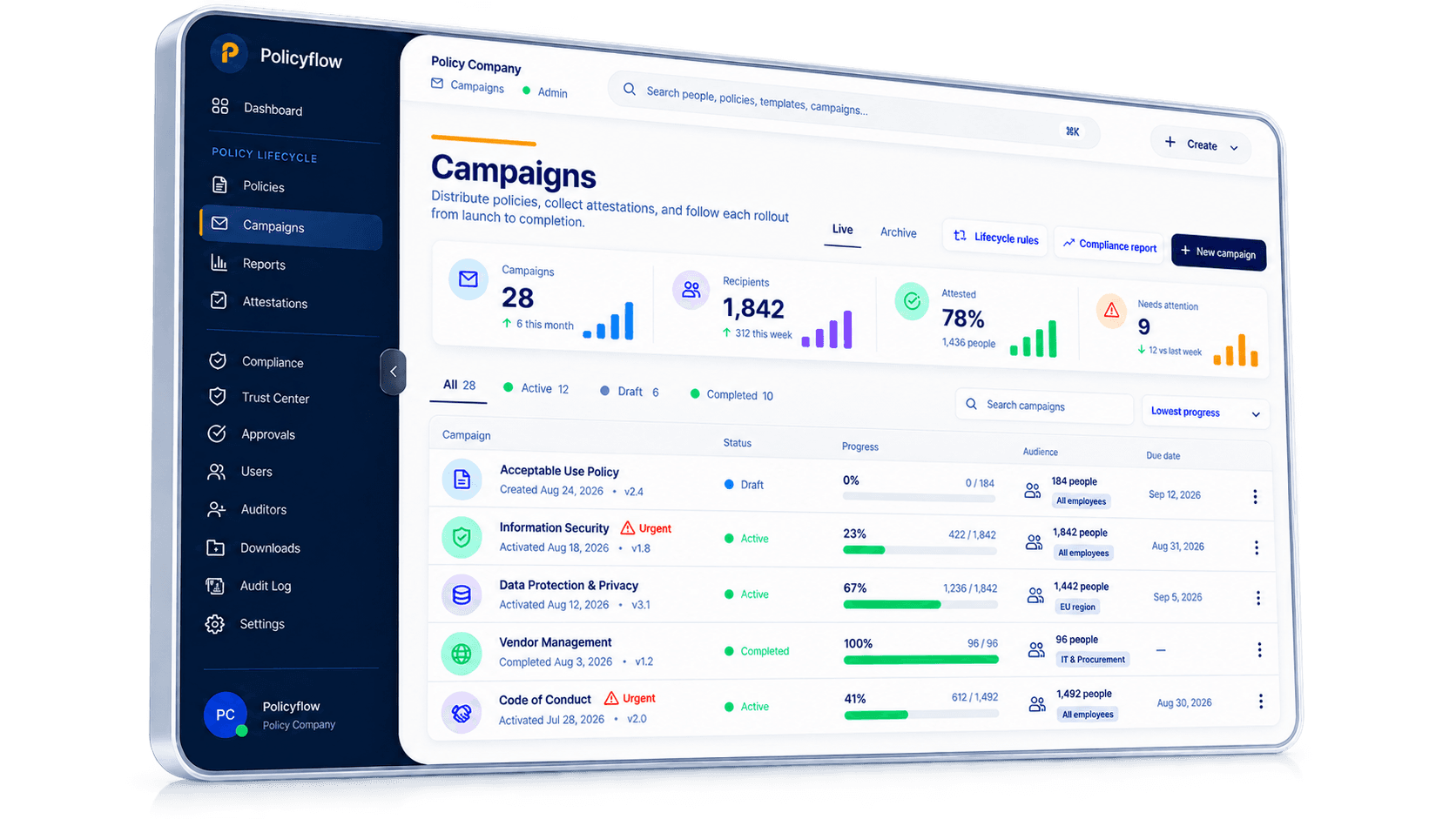
Campaigns
Bundle related policies into one rollout with a shared deadline and progress view.
Link-based access
Recipients confirm through a personal, single-use link — nothing to install.
Evidence
Track completion and produce what auditors ask for.
Automated reminders
Remind anyone outstanding on your schedule. Confirmed recipients are left alone.
Exports
PDF certificate for the summary, CSV log for row-level detail — version and timestamp on every line.
Audit log
Uploads, edits, approvals, sends, and confirmations all land in the activity log.
What recipients see
One email, one link, one confirmation — the three things below are the whole experience. It works the same on a phone as on a laptop, so office staff, field teams and external contractors all complete it the same way.
01
A link in their inbox
One email naming the policy, with one button. Nothing to open, nothing to install, no password to remember.
Northwind Group
09:02To anna.muller@northwind.example
Information Security Policy needs your sign-off
Hi Anna — have a read and confirm you're happy with it. Takes about three minutes.
Read and sign
No attachment to open. No password to set.
02
The version they were sent
The link opens the exact version that was in force when it went out — not whatever the latest edit happens to be.
Requested by Northwind Group
Information Security Policy
- 3.1 Access follows least privilege.
- 3.2 Credentials are never shared.
- 3.3 Devices lock after five idle minutes.
A later edit becomes v3.3. This link stays on v3.2.
03
Confirm, and it's on the record
They slide to confirm. Their name, the version and the exact time are written to the record as they do it.
By signing, you confirm you have read and understood this policy and agree to comply with its terms.
Certificate available to download on the spot.
Evidence in two formats
Good evidence is tied to a version, linked to a named person, and available months later. Policyflow keeps both formats ready: a summary certificate for the one-pager, and a row-level log for anyone who wants to go through the detail.
The one-page summary
A PDF that wraps up a finished campaign: which policy, which version, who was in scope, how many confirmed and when. Ready for a regulator or a vendor questionnaire without reformatting.
Certificate
Information Security Policy v3.2
The full log
One row per action: person, policy version, status change and timestamp, down to the individual click. Opens directly in Excel or your GRC tool.
Common questions
Where does ISO 27001 stand on policy acknowledgements?
What does a defensible acknowledgement record look like?
Can we track this in Outlook or SharePoint instead?
Does this only work for formal policies?
Will employees need to log in somewhere?
Won't people get spammed with reminders?
Which version of a policy does a confirmation point to?
How quickly can we get up and running?
Which compliance frameworks does it support?
Start with your first policy
Create a workspace, add a policy and send your first campaign today. Free for teams up to 15 employees, no card required.